



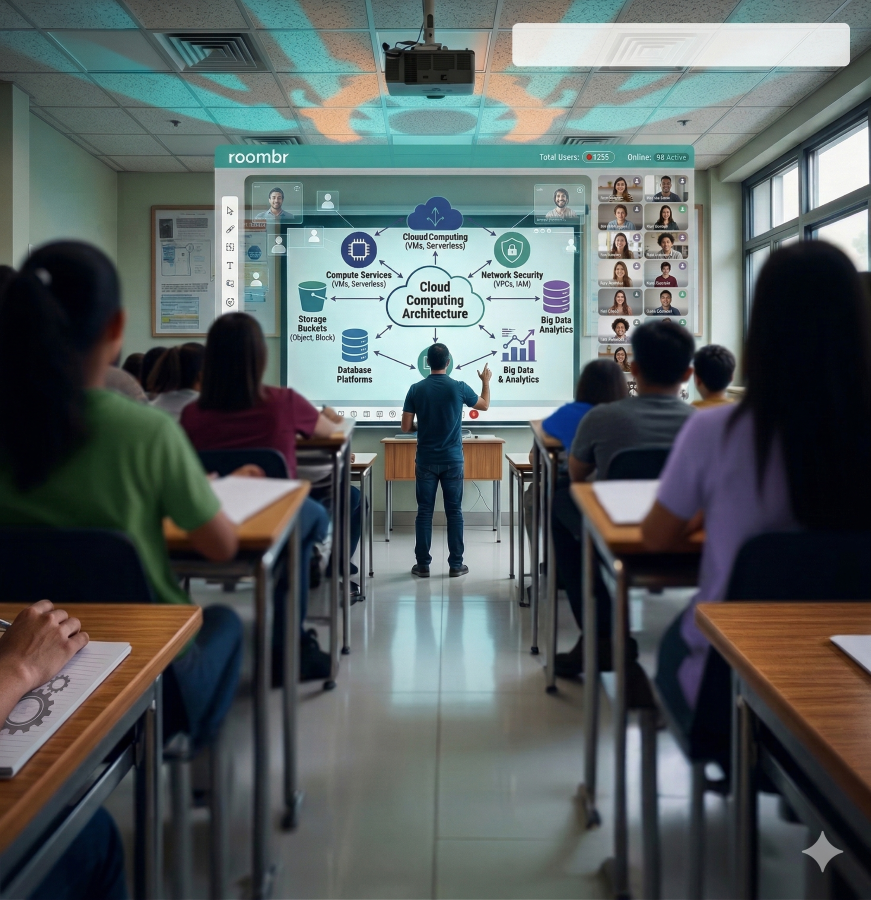
Teaching a huge batch of highly competitive students online is a challenge. When you rely on standard video calling applications for intense JEE or NEET coaching, chaos often becomes the norm. The internet connection drops during a crucial explanation. Students talk over one another while trying to ask questions. The digital whiteboard lags and makes complex formulas impossible to read. A makeshift digital setup directly hurts your brand reputation and damages student retention rates.
Coaching centers in India must move beyond these basic tools to survive and scale. You need a dedicated and highly structured virtual classroom. This professional digital environment allows your faculty to maintain absolute discipline. It enables them to deliver intricate concepts with crystal clarity to hundreds of aspirants at once. Upgrading your technological infrastructure ensures your institute can handle massive student volumes without experiencing a single technical failure.
Building this environment requires careful planning and the right mix of hardware and software. You must replicate the intense focus and rigor of your physical coaching center in a digital space. Let us explore the steps you need to take to build a reliable and highly profitable virtual classroom for your competitive exam students.
Step 1: Build Your Digital Teaching Center
A successful virtual classroom always begins with the physical equipment your teachers use daily. You simply cannot teach advanced organic chemistry or quantum physics using a standard laptop webcam and a trackpad. The physical setup must empower the educator to teach naturally.
1. Select the Right Interactive Display for Complex Equations
Teachers need ample space to write and draw. A high-quality digital interactive screen is a non-negotiable requirement for competitive exam coaching. This large display connects directly to your virtual classroom software. It allows your educators to solve lengthy mathematical problems and draw intricate diagrams just as they would on a traditional whiteboard. The digital ink flows smoothly without any lag. This ensures that every student watching from home or anywhere else can see every step of the formula in real time. A clear visual presentation keeps aspirants focused on the core subject matter instead of squinting at a blurry screen.
2. Set Up Audio and Camera for Professional Broadcasting
Audio quality will either make or break a live coaching session. You must equip your teaching center with professional noise-canceling microphones and high-definition tracking cameras. Aspirants preparing for the toughest exams in the country cannot afford to miss crucial information due to background static or a delayed audio feed. A crisp and clear voice keeps students engaged during a grueling three-hour intensive lecture. The camera should automatically track the teacher as they move across the interactive display. This dynamic movement makes the virtual classroom feel alive and prevents the visual fatigue that comes from staring at a static webcam feed.
3. Choose Online Teaching Platforms That Handle Heavy Bandwidth
Your expensive hardware is useless if your software crashes under pressure. When hundreds of students log into a live class simultaneously, standard communication applications often freeze or drop connections. You must invest in a robust online teaching platform specifically designed for high-volume live streaming. These advanced systems manage internet bandwidth effectively. They automatically adjust the video quality for students with weaker internet connections while keeping the audio clear. This prevents mid-class disruptions and ensures your teachers can focus solely on delivering the syllabus rather than troubleshooting technical glitches.
Step 2: Structure Live Classes for Maximum Engagement
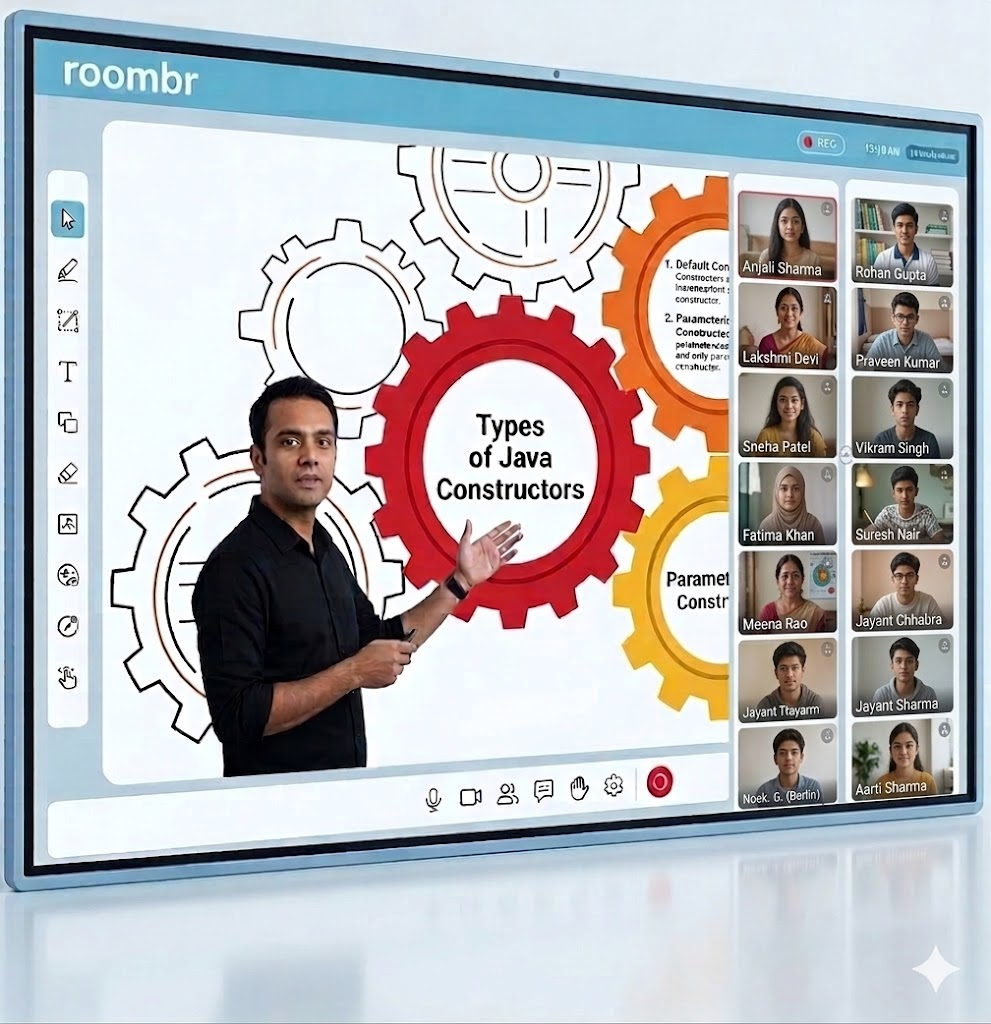
Running a large student batch requires strict administrative control. A properly configured virtual classroom provides the exact features your institute needs to manage hundreds of competitive aspirants simultaneously.
1. Manage Attendance and Access for Hundreds Of Students
Security and access control are paramount in the competitive coaching industry. You must automate student entry and strictly restrict unauthorized access to your premium live sessions. A dedicated system ensures that only batch members can join the virtual classroom. This completely prevents unauthorized link sharing and keeps your digital environment secure. Automated attendance tracking also saves your faculty valuable time. The system logs exactly when a student joins and leaves the session. You can easily share this detailed attendance data with parents to maintain high accountability.
2. Use Specific Tools for Teaching to Keep Aspirants Focused
Passive watching always leads to low knowledge retention. You must leverage specific tools for teaching to force active participation during long lectures. Features like interactive screen sharing, digital geometry kits, and real-time multiple-choice polling keep students alert. When a teacher launches a quick poll after explaining a difficult physics concept, they instantly know who is paying attention. These engagement features transform a boring one-way broadcast into an interactive classroom.
Beyond just doubt clearing, you must foster a competitive yet collaborative spirit within your digital batches. A well-designed virtual classroom allows teachers to highlight top-performing students on the digital leaderboard during live quizzes. Recognizing a student who solves a complex equation the fastest builds healthy competition. This drives the entire batch to study harder and stay focused during long digital sessions.
3. Implement a Controlled Doubt-Clearing Process
Handling random questions from a massive group of students can derail a structured class very quickly. You need a heavily moderated question and answer feature. This allows students to type and submit their doubts silently without interrupting the teacher mid-sentence. The educator or an assisting moderator can review these questions and address them at specific intervals during the lecture. This structured approach maintains the momentum of the virtual classroom and ensures all critical topics in the daily lesson plan are covered on time.
Step 3: Replicate the Rigor of Physical Mock Tests
Frequent and rigorous assessments are the absolute backbone of any successful JEE or NEET coaching center. Your virtual classroom must handle these high-pressure testing scenarios flawlessly.
1. Integrate a Test Paper Generator For Weekly Assessments
Creating fresh and accurate mock exams takes your faculty hundreds of hours every month. You can easily automate this exhausting process by integrating a reliable test paper generator into your digital ecosystem. This smart tool pulls from a massive digitized question bank to create customized weekly assessments in seconds. It allows your teachers to model these tests after the actual competitive exam patterns. They can set specific difficulty levels and include negative marking rules automatically. This saves immense administrative time and ensures students get the continuous practice they need.
2. Conduct Secure Online Exams for Large Batches
Mock tests only provide value if the digital environment is strictly timed and secure. You must host these online tests with precise countdown timers and basic digital proctoring features. This simulates the real exam pressure that aspirants will face on the final day. A true virtual classroom infrastructure ensures that thousands of students can start the test and submit their final papers simultaneously without the server crashing. A stable testing environment builds deep trust with your students and their parents.
3. Connect Results to LMS Platforms for Performance Tracking
Instant evaluation is an absolute necessity for competitive exam preparation. By connecting your testing system directly to robust LMS platforms, you can track individual student progress meticulously over time. These platforms provide instant scoring, detailed percentile rankings, and comprehensive subject analytics. Teachers can easily look at the dashboard to identify weak areas across an entire batch. If eighty percent of the class failed the thermodynamics section, the teacher knows exactly what to revise the next day. This data-driven approach dramatically improves overall batch performance.
Step 4: Protect Your Institute's Intellectual Property
Content piracy is a growing threat to coaching centers across India. Your proprietary study materials, customized notes, and recorded premium lectures are your most valuable business assets. If students can freely download and share your hard work on public forums, your business model will suffer financial losses.
A highly secure virtual classroom actively encrypts all your educational content. It allows enrolled students to view recorded revision sessions and read PDF materials within your proprietary application without ever granting them the ability to download the files locally. You can also implement dynamic watermarks that display the specific student ID and phone number over the video player. This instantly discourages screen recording.
You should also consider restricting login access to a single registered device per student. If a student tries to log into your virtual classroom from a different laptop or mobile phone, the system should automatically flag the account and deny access until an administrator approves it. This prevents a single paid subscription from being shared among multiple friends. Protecting your revenue stream is just as important as delivering quality education. When your business is financially secure, you can invest more heavily in hiring the best faculty and upgrading your digital tools.
Frequently Asked Questions
1. What is the minimum internet speed required for a smooth virtual classroom?
Coaching centers need a dedicated broadband connection with at least 100 Mbps upload and download speeds. A stable wired connection ensures high-definition live streaming without frame drops when broadcasting complex lectures to large student batches.
2. How long does it take for faculty to learn digital teaching tools?
Most experienced educators adapt to smart panels and digital platforms within two to three days. Leading edtech partners such as Roombr always include hands-on onboarding sessions to help teachers transition comfortably from traditional whiteboards to interactive digital hardware.
3. Can parents track their child's progress in an online coaching setup?
Yes. Modern digital education setups feature dedicated parent applications. These portals send automated push notifications regarding daily live class attendance, mock test percentiles, and overall syllabus completion directly to the parents' smartphones.
4. Is it possible to teach offline and online students at the same time?
Absolutely. A hybrid learning setup uses AI tracking cameras and integrated audio systems to broadcast the physical lecture live. Remote aspirants experience the same lesson and interact with the teacher just like the students sitting inside the physical institute. Roombr is designed to meet these requirements seamlessly.
5. What is the standard return on investment for a digital classroom upgrade?
Institutes typically recover their initial infrastructure costs within the first academic admission cycle. Upgrading to a digital model removes physical seating limits and allows coaching center owners to enroll thousands of new aspirants from tier-two and tier-three cities.
Scale Your Coaching Business with Roombr
Piecing together separate web cameras, standalone microphones, and disconnected software applications is an exhausting and highly expensive process. Coaching institute owners do not have the time to act as system integrators. You need a unified system that simply works out of the box.
Roombr provides a holistic virtual classroom ecosystem designed specifically to meet the rigorous demands of Indian educators and coaching centers. It seamlessly integrates premium smart hardware with incredibly powerful software to handle massive student batches effortlessly.
With Roombr, you eliminate the daily technical headaches associated with scaling a coaching business. Our complete solution secures your valuable content, automates your tedious assessments, and delivers a flawless live streaming experience every single day. This reliable infrastructure allows your faculty to focus all their energy on what they do best, which is teaching and mentoring the next generation of top rankers. Upgrading your digital infrastructure to a true virtual classroom is the most critical step you can take today to secure the future of your institute.
Schedule a free demo today to see how Roombr handles your largest competitive batches flawlessly.

Foziya Abuwala
Share
Step Into the future of
Education with Roombr












