

A coaching center may collect plenty of student data and still miss students who need help. Attendance and test scores sit in separate files. Reports arrive after the batch moves ahead.
This process becomes risky as enrollment grows. Teachers spend more time combining records. Students may receive support only after low scores become a pattern.
The right classroom management software brings these academic activities into one connected workflow. However, a long feature list does not guarantee useful insight. Coaching centers must test how well the system supports real teaching decisions.
What Does Classroom Management Software Do?
Classroom management software supports daily academic work before, during, and after class. Teachers can conduct tests, review progress, and organize students by batch.
Some vendors use the same term for behavior tracking or device control. This guide focuses on software that connects teaching, assessments, student progress, and batch management.
Its value comes from turning classroom data into useful action.
For example, an academic head should be able to answer questions such as:
- Which algebra topics caused the most errors?
- Which students missed two tests?
- Did remedial teaching improve the next result?
- Is one batch progressing more slowly?
- Can teachers answer these questions without combining spreadsheets?
A useful teaching and learning platform makes these answers easier to find while keeping the teacher in control.
Classroom Management Software, LMS, and ERP: Where Do They Differ?
These categories are not always separate. One platform may combine classroom management and learning management features. An ERP serves a different purpose by focusing mainly on institutional administration.
Roombr combines classroom management and LMS capabilities. It helps tutors manage students and batches while supporting content delivery, assessments, attendance, recorded lessons, communication, and performance tracking.
Some platforms may also include selected administrative features, such as fee management. However, that does not automatically make them a complete ERP.
Why Test Marks Alone Do Not Show the Full Picture
A final score tells you what a student achieved on one assessment. It does not always explain why the result occurred.
Consider two students who score 58 percent. One improved from 42 percent across three tests. The other fell from 74 percent. They need different support.
A sound student performance tracking system looks at several signals together:
- Attendance patterns
- Test attempts and completion
- Subject and topic scores
- Accuracy over time
- Assignment completion
- Progress after feedback
- Individual and batch trends
These signals should guide investigation, not automatic judgment.
Roombr's guide to digital classroom analytics and student performance explains how connected data can support better teaching decisions.
The real value of classroom management software appears when a teacher can spot the pattern, speak with the student, and plan the right support.
What Should Coaching Centers Track?
1. Attendance and Participation Patterns
A steady attendance decline may require attention. Teachers should review it alongside assessment and assignment data for context.
2. Subject and Topic Performance
An overall mathematics score can hide a specific problem with trigonometry. Topic-level reports support focused revision instead of reteaching the whole subject.
3. Progress Across Several Assessments
One difficult paper can distort the picture. Good classroom management software should make trends visible across multiple tests and comparable periods.
4. Follow-up Work and Reassessment
Tracking should continue after finding a gap. Teachers need to know whether extra practice improved the next result.
5. Batch-Level Patterns
If many students miss the same question, the issue may not be individual effort. The concept, question wording, or teaching approach may need review.
Student progress tracking software should show individual and group patterns that guide the next teaching step.
A Practical Student Performance Tracking Workflow

Buying classroom management software is only the first step. Coaching centers also need a repeatable academic process.
Use this five-stage workflow:
- Assess: Check understanding through quizzes, assignments, mock tests, or short exit questions.
- Record: Store results against the correct student, topic, class, and batch.
- Identify: Look for learning gaps, missed work, and changes over time.
- Intervene: Give feedback, targeted practice, a recorded explanation, or a remedial session.
- Reassess: Check whether the intervention improved understanding.
The Education Endowment Foundation defines feedback as information about performance compared with learning goals. It should help move learning forward.
A colorful dashboard has little value if nobody acts on it.
Manual Tracking vs an Integrated System
Spreadsheets can work for a small group. Problems appear as students, teachers, subjects, and tests grow.
Essential Classroom Management Software Features
1. Flexible Assessment Creation
Teachers should be able to create quick checks, chapter tests, assignments, and mock exams. Ask which question types are supported.
Good teaching software for teachers saves setup time without limiting control. Teachers must still review question quality, difficulty, and syllabus fit.
For a practical example, see how tutors can use an AI question generator for quick classroom assessments.
2. Automated Evaluation with Teacher Review
Objective questions can often be graded automatically. Written work may need human review. Ask the vendor to demonstrate both workflows.
Automated scoring should save time. It should never hide how a score was produced.
3. Individual and Batch Reports
Teachers need clear student-level reports. Academic heads need batch-level summaries. Both views should lead back to the underlying assessment evidence.
Ask whether reports show scores, trends, topic gaps, test completion, and progress after support.
4. Actionable AI Teaching Tools
Many products promote AI teaching tools. Ask what data the model uses and what action it recommends.
AI insights should support teacher judgment, not replace it.
5. One Workflow for Every Teaching Mode
Coaching centers may run classroom, online, and hybrid batches. Their online teaching software should keep each student's record connected.
Check whether assessments, attendance, content, and progress remain connected across each mode.
6. Data Access, Security, and Portability
Student reports contain personal and academic information. Ask who can view, edit, download, or delete each type of record.
India's Digital Personal Data Protection Act, 2023 and Digital Personal Data Protection Rules, 2025 establish the country's framework for processing digital personal data. Because implementation is phased, coaching centers should confirm which requirements currently apply to them.
Ask how data can be exported. The 1EdTech QTI standard supports exchanging assessment items, tests, usage data, and results between compatible applications.
Do not assume a vendor supports QTI. Request written confirmation and test the required export before purchase.
7. Simple Teacher Onboarding
The best classroom software for teachers must work during a busy day. If a process takes too long, teachers may stop using it consistently.
Ask teachers to create a test, review a report, and assign follow-up work without sales-team guidance.
Questions to Ask During a Software Demo
A generic demonstration shows the vendor's strongest path. A useful demonstration follows your actual academic process.
Ask the vendor to demonstrate these tasks:
- Create a topic-level test using your syllabus.
- Add students from two different batches.
- Evaluate objective and written responses.
- Identify a weak topic for one student.
- Compare the same topic across both batches.
- Assign follow-up work and record its completion.
- Review progress after a second assessment.
- Show what teachers, students, and managers can access.
- Export a report in a usable format.
- Explain data backup, retention, and deletion.
Request the full price. Confirm whether reports, AI features, storage, training, support, or extra users cost more.
This makes software selection evidence-based. It also exposes gaps that a polished feature tour may conceal.
Common Buying Mistakes
Avoid these errors when comparing digital classroom platforms:
- Choosing the product with the longest feature list
- Confusing classroom software with a complete ERP
- Reviewing dashboards without checking the source data
- Treating every AI suggestion as a verified conclusion
- Ignoring teacher training and daily usability
- Tracking weak performance without planning follow-up
- Accepting a demo built around an unrelated institution
- Overlooking data export, permissions, and ongoing support
The best classroom management software is not the system with the most screens. It is the one that helps your team make better academic decisions consistently.
How Roombr Connects Teaching With Performance Tracking
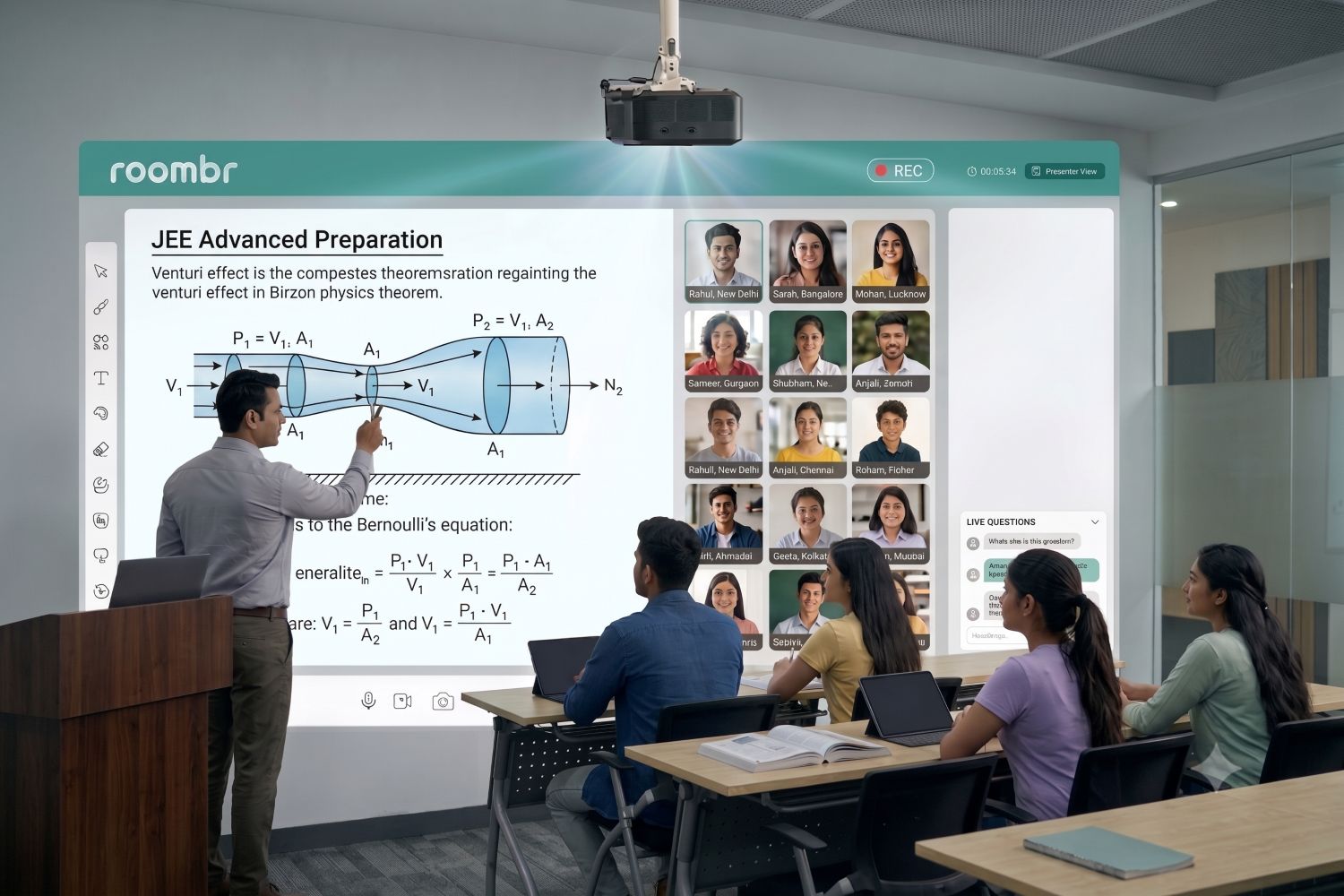
Roombr Digital Classroom combines interactive teaching, hybrid learning, recorded sessions, assessments, and performance insights within a connected classroom environment.
Its verified software capabilities include AI-assisted test creation, automated evaluation, smart grading, real-time analytics, and student performance tracking. AI-powered insights help identify student strengths and weaknesses for more focused support.
Roombr supports session recording and automatic chapterization, which turns recorded lessons into structured learning modules. Interactive assessments can extend learning beyond class.
Final Classroom Management Software Checklist
Before approving a purchase, confirm that the system can:
Choose classroom management software that shortens the path from assessment to action. Teachers should be able to find a gap, provide support, and check improvement without lengthy reporting.
Frequently Asked Questions
1. What is classroom management software?
Classroom management software helps educators organize classes, attendance, assessments, student progress, reports, and communication. Its exact functions vary, so buyers should test the complete workflow before choosing a system.
2. How can coaching centers track student performance?
Track attendance, test attempts, topic scores, accuracy trends, assignments, feedback, remedial work, and reassessment. Review these signals together rather than judging performance from one examination.
3. Is classroom management software the same as an LMS?
Not always. Classroom software focuses on daily teaching activity. An LMS usually focuses on courses, content, assessments, and learner progress. Many modern platforms combine both functions or may even use both terms interchangeably.
4. Can classroom management software support in-person and online classes?
Yes, some systems support classroom, online, and hybrid delivery. Ask the vendor to show whether student records and assessment data remain connected across every mode.
5. Can software identify students who may need additional support?
Software can surface patterns such as falling scores, incomplete assessments, or repeated topic errors. A teacher should examine the context before deciding why a student is struggling or what support is appropriate.
6. What is the most important feature to test?
Test the full improvement cycle. The system should help a teacher assess learning, find a gap, provide support, and measure progress afterward.
See How Roombr Fits Your Coaching Center’s Workflow
Choosing classroom management software is easier when you can test it against your actual teaching process. Roombr for Tutors brings classes, batches, assessments, attendance, communication, and student performance tracking into one connected platform.
During a personalized demonstration, your team can explore how Roombr fits existing workflows, supports different teaching modes, and turns assessment data into useful academic insights.
Bring a sample batch, test, or reporting requirement to make the evaluation more relevant. Book a demo to see whether it meets your coaching center’s teaching, management, and student support needs in practice.

Foziya Abuwala
Share
Step Into the future of
Education with Roombr