

A live class begins at 6:00 p.m. The teacher opens a video app, checks attendance in a spreadsheet, shares notes through a messaging group, and conducts the test elsewhere.
Each tool works. The teaching workflow does not.
This is the point at which many coaching centers start searching for an online teaching platform. The aim is not to add another app. It is to bring teaching, assessment, content, and learner data into a system that the team can use every day.
The wrong choice may look impressive in a sales presentation but create more work after launch. This guide shows coaching-center leaders what to test before they invest.
Do not judge it by the number of features on a brochure. Test whether those features work together during a normal teaching day.
What Is an Online Teaching Platform for a Coaching Center?
An online teaching platform is software used to deliver, organize, and monitor teaching. For a coaching center, however, it must support more than video calls.
A complete solution should combine live-class tools, such as interactive whiteboards, polls, and screen sharing, with features for managing batches, schedules, attendance, and user access.
Bringing these workflows together is important because coaching centers rarely manage one class at a time. They must coordinate subjects, faculty, multiple batches, tests, absences, recordings, and parent communication—all at once.
Define Your Operating Model Before You Shortlist Software
The right online teaching platform depends on how your center operates. A tutor managing three small batches has different needs from a JEE institute broadcasting one faculty member across several branches.
Document these requirements before attending a demo:
This exercise prevents a common buying error: choosing online teaching software for today’s smallest use case instead of tomorrow’s normal workload.
12 Capabilities to Check in an Online Teaching Platform
For every capability, apply three tests: Can the platform do it? Can the vendor show it? Can it work at your real scale?
1. Live Teaching and Real-Time Collaboration

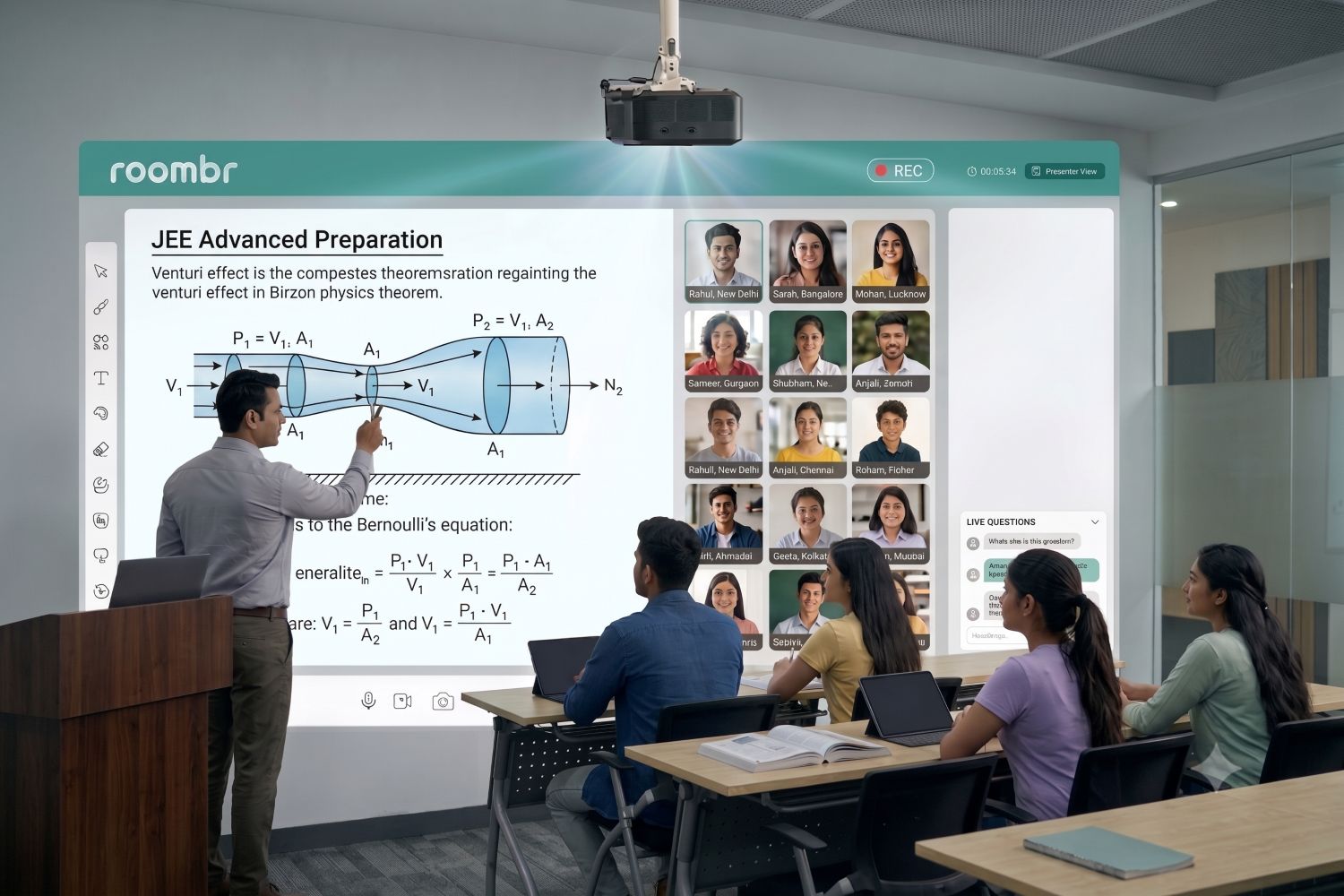
An online teaching platform should do more than stream a teacher’s camera. Check screen sharing, annotation, chat controls, hand raising, doubt clearing, polls, and collaborative writing.
During the demo, ask a teacher to explain a real topic. A mathematics tutor could solve an equation while a learner marks the next step. This reveals more than a feature tour.
2. Batch, User, and Schedule Management
Coaching centers need clear control over learners, teachers, subjects, and timings. Look for batch creation, repeat schedules, role-based access, attendance logs, and easy movement between batches.
Test a common exception. Can an administrator move one learner to a weekend batch without losing attendance or assessment history? Good online teaching tools should reduce such manual corrections.
3. Interactive Teaching Tools
Different subjects require different teaching actions. Physics needs diagrams. Mathematics needs step-by-step writing. Languages need audio, text, and active response.
Evaluate whether the interactive teaching tools support natural instruction. Count the steps needed to open a whiteboard, annotate content, launch a question, and save the lesson. A feature that interrupts teaching will soon be ignored.
4. Assessments and Evaluation
An assessment workflow should cover question creation, delivery, submission, grading, feedback, and analysis. If any stage needs another system, the center may still have to join data from separate tools.
Ask the vendor to create a short test during the demo. Then check whether results can be viewed by the learner, batch, question, and topic. This shows whether the online teaching platform supports academic decisions, not only test delivery.
5. Recording and Lesson Organization
Recording a class is easy. Making it useful is harder.
Check whether the online teaching platform can capture teaching automatically, organize lessons by batch and subject, and control who can view them. Search, tagging, chapterization, and playback access matter more than a basic record button.
A NEET learner revising hybridization should find that explanation without scanning a three-hour chemistry video.
For detailed workflows, see Roombr’s guide to recorded classes for coaching centers.
6. Content Management and Controlled Access
Notes, presentations, assignments, videos, and revision material should remain easy to find. Teachers should upload once and assign content to the right batch without repeating the task across groups.
Check expiry settings, streaming or download controls, user permissions, and access after a course ends. These details protect both the learner experience and the center’s academic content.
7. Attendance and Performance Analytics
Attendance alone does not show whether a learner understands the course. Strong digital classroom platforms connect participation, assessment scores, content use, and progress over time.
Ask the vendor to show one learner’s complete journey. Can the dashboard reveal missed classes, weak topics, pending work, and recent improvement? If reports cannot guide action, they are only digital paperwork.
8. Practical AI Support for Teachers
Useful AI should save a clear task, not add another dashboard. Relevant uses include lesson planning, question creation, assessment support, content organization, and identifying topics that need review.
Test the output with an experienced teacher. Can it be edited? Does it match the course and difficulty level? The online teaching platform must keep the educator in control of what learners receive.
9. Online, In-Person, and Hybrid Teaching
Many coaching centers serve classroom and remote learners together. Evaluate whether the same lesson can support both groups without making the teacher manage parallel workflows.
Good hybrid classroom solutions should connect the board, teacher, audio, remote participation, assessments, and recording. The test is simple: can a remote learner follow the same explanation and respond at the right moment?
10. Scalability Across Batches and Locations
Scalability is not just a larger class size limit. It includes shared course structures, central user management, access rules, reports, and support across locations.
Ask the vendor to show how the online teaching platform would add ten batches or a second branch.
Large coaching groups should also review the separate guide to planning a scalable digital classroom setup.
11. Teacher Usability, Onboarding, and Support
The best feature set has little value if faculty avoid it. Include working teachers in the evaluation, not only management and IT teams.
Give them three tasks: start a class, create a test, and share a recording. Note where they hesitate. Also ask who provides onboarding, how support requests are handled, and what help is available during teaching hours.
12. Security, Integrations, and Total Cost
An online teaching platform may store learner profiles, contact details, attendance, recordings, and assessment results. Ask about encryption, access controls, activity logs, backups, breach procedures, and data deletion.
India’s notified Digital Personal Data Protection Rules, 2025 describe safeguards such as access control, logging, backups, and measures to prevent data breaches.
Finally, calculate the complete cost. Include licenses, storage, integrations, onboarding, support, upgrades, and any separate online classroom solutions still required.
Use an Evidence-Based Evaluation Scorecard
Feature lists describe what may be possible. A scorecard records what the center has actually seen.
Score each requirement as demonstrated, partly demonstrated, or not demonstrated. Do not award full marks for a slide, roadmap promise, or feature marked “coming soon.”
Questions to Ask During an Online Teaching Software Demo
A useful demo should follow your workflow rather than the vendor’s preferred sequence. Ask:
- Can a teacher run a class without technical assistance?
- Can administrators manage several batches from one dashboard?
- What happens to a lesson after it is recorded?
- Can assessment results identify weak topics across a batch?
- How are learner, teacher, and administrator permissions separated?
- Which features require another product or paid add-on?
- What changes in the workflow when we open another branch?
When Does a Coaching Center Need One Connected Platform?
Your center may have outgrown separate tools when teachers repeatedly switch apps, attendance and scores cannot be connected, or recordings are hard to retrieve. Another sign is inconsistent delivery between batches or locations.
At that stage, the buying decision is not about adding more online teaching tools and software. It is about reducing fragmentation while preserving teacher control.
Key Takeaway
An online teaching platform becomes valuable when it makes a real teaching day easier to run. It should connect live lessons, batches, assessments, recordings, content, and learner insights without taking control away from educators.
Define your operating model first. Test real tasks during the demo. Record evidence, calculate the complete cost, and involve the teachers who will use the system.
That process will not produce the longest checklist. It will produce a platform your coaching center can use, trust, and grow with.
Frequently Asked Questions
1. What is the best online teaching platform for a coaching center?
The best online teaching platform is the one that fits the center’s batch size, teaching model, assessment process, recording needs, and growth plans. Choose through workflow demonstrations rather than rankings or feature counts.
2. Is virtual classroom software the same as classroom management software?
No. Virtual classroom software focuses on live interaction and lesson delivery. Classroom management software organizes users, batches, schedules, attendance, and reports. Some platforms combine both functions.
3. Can one platform support online, physical, and hybrid classes?
Yes, if it connects classroom teaching with video collaboration, remote participation, recording, assessment, and content access. Ask the vendor to demonstrate one hybrid lesson from start to finish.
4. What should I check when choosing online teaching software for teachers?
Check teaching steps, curriculum fit, editing control, assessment workflows, recording access, device compatibility, training, and live support. Teachers should test the platform before the center signs a contract.
5. How can an online teaching platform support multiple branches?
It should provide central course structures, role-based access, shared content, batch-level reports, and the same workflow across branches. Confirm how licenses, storage, administration, and support change as locations increase.
How Roombr Learn Powers the Roombr Digital Classroom
Roombr Learn powers the Roombr Digital Classroom through one connected software and classroom technology system. It supports interactive teaching, virtual collaboration, assessments, lesson recording, structured content, learner insights, and hybrid delivery.
This makes it relevant to coaching centers that want an all-in-one online teaching platform for classroom and remote learning. It can also support centers that plan to connect several rooms or locations through a common teaching workflow.
Rather than judging it from a feature list, test Roombr Learn against the same scorecard in this guide.
Ready to simplify teaching? Explore Roombr Learn software or book a workflow demo now.

Foziya Abuwala
Share
Step Into the future of
Education with Roombr