




A great architecture classroom is not just a room with a screen. It is a teaching environment built for sketching, critique, model discussion, pin-ups, presentations, and hybrid jury sessions. That is why smart classroom design in architecture colleges needs a different approach from a standard lecture hall. Architecture education is still deeply studio-led, and critique remains central to how students learn, present, and improve their work. Recent research also shows that blended design studios and hybrid learning models are becoming more important in architecture and design education.
In practical terms, the best smart classroom design for architecture colleges should do four things well: support visual clarity, reduce friction during critiques, improve discussion quality, and make hybrid participation easier. A standard digital classroom may work for theory lectures, but architecture programs need spaces that handle drawings, layouts, renders, reviews, and live feedback with far less disruption.
In this blog, we will look at how architecture colleges can plan smarter studios, review rooms, and presentation spaces that better support modern teaching and learning.
Why Architecture Colleges Need a Different Smart Classroom Design
Architecture teaching is not built around one-way delivery. It depends on desk critiques, peer discussion, faculty review, and repeated presentation cycles. In other words, students are not just consuming content. They are defending design decisions, revising work, and learning through visual dialogue. That makes smart classroom design a pedagogical decision, not just an AV purchase.
A standard modern digital classroom often assumes rows of seating, one presenter, and a fixed front-facing display. Architecture colleges need something more flexible. Faculty may move between student desks, jurors may need to join remotely, and student work may include highly detailed plans that must remain legible from the back of the room. The rise of synchronous hybrid learning also increases the need for spaces that connect physical and digital participation smoothly.
Smart Classroom Design Priorities for Studios, Review Rooms, and Presentation Spaces
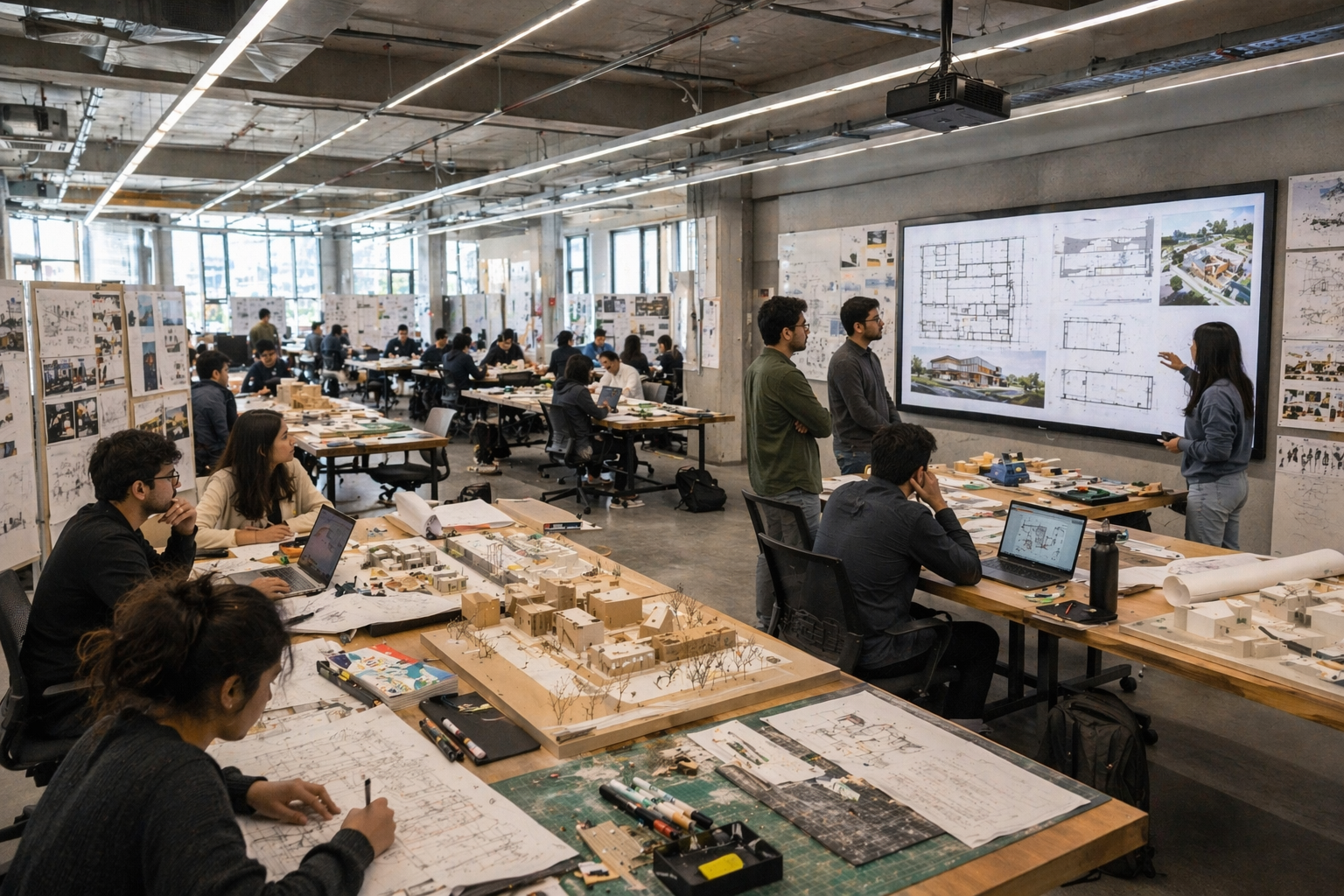
A strong, smart classroom setup for architecture colleges should be planned by space type, not copied across every room.
Studios Need Flexibility First
In studios, fixed rows often work against the teaching method. Students need room to gather around layouts, move between discussions, and present evolving work without feeling locked into a lecture format. Good smart classroom design in a studio supports reconfiguration, collaboration, and quick visual sharing. This is where a thoughtful digital classroom setup matters more than raw hardware specs.
It is also worth remembering how much time a poor setup can waste. In a 90-minute review with 8 presenters, losing even 3 minutes per transition to cable changes, login issues, or awkward display switching can waste 24 minutes. That is more than a quarter of the session gone before the actual critique is done.
Studios Need Flexibility First
In studios, fixed rows often work against the teaching method. Students need room to gather around layouts, move between discussions, and present evolving work without feeling locked into a lecture format. Good smart classroom design in a studio supports reconfiguration, collaboration, and quick visual sharing. This is where a thoughtful digital classroom setup matters more than raw hardware specs.
It is also worth remembering how much time a poor setup can waste. In a 90-minute review with 8 presenters, losing even 3 minutes per transition to cable changes, login issues, or awkward display switching can waste 24 minutes. That is more than a quarter of the session gone before the actual critique is done.
Review Rooms Need Clarity and Acoustics
Review rooms fail when only the front row can see the work clearly or when voices get lost in a reflective space. Research on architecture education and acoustic design shows that sound quality and room conditions affect how effectively people engage, especially in discussion-heavy environments. In architecture reviews, poor acoustics do not just cause discomfort. They reduce the quality of critique.
This is where the right features of smart classroom planning matter:
- Large, legible display output
- Easy annotation on drawings and presentations
- Dependable audio pickup
- Minimal setup, friction between presenters
Presentation Spaces Need Hybrid Readiness
Today, architecture colleges increasingly involve visiting practitioners, remote jurors, and mixed-format reviews. That makes hybrid capability a core part of smart classroom design, not an extra add-on. Research on blended design-studio shows that architecture and planning departments are actively adapting to technology-enhanced and hybrid teaching models.
Common Smart Classroom Design Mistakes Architecture Colleges Make
Many colleges invest in technology but still end up with weak teaching flow because the room was planned like a generic high-tech classroom, not a studio-led learning environment.
Common mistakes include:
- Treating studios like lecture halls
- Choosing display systems that are hard to switch between presenters
- Underestimating the importance of acoustics
- Focusing on device lists instead of teaching workflow
- Ignoring the hybrid jury and guest critic needs
The result is familiar: the tech looks impressive on day one, but faculty keep working around it. A better classroom design starts with how the room will actually be used every week.
How to Evaluate Smart Classroom Design for Architecture Colleges
Before finalising any smart classroom solutions, decision-makers should ask practical questions:
- Can faculty annotate live without breaking the discussion flow?
- Can the space support desk crits, jury reviews, and formal presentations?
- Can remote jurors join without a separate workaround?
- Can the room switch between presenters quickly and consistently?
- Can faculty record or revisit important review sessions when needed?
- Can the setup combine display, collaboration, and hybrid teaching without extra devices?
If the answer is uncertain, the room may not be ready for architecture teaching, even if the device list looks impressive.
The smartest approach is to think beyond one product and plan for a connected teaching environment. That could mean a more flexible digital classroom, a better room layout, stronger audio, simpler sharing tools, and a design that supports studios as well as presentation spaces. This is where smart classroom design becomes a long-term academic decision, not just a procurement exercise.
Final Thoughts
For architecture colleges, the goal is to build a space where critiques move smoothly, presentations stay clear, and collaboration feels natural. That is what a robust classroom design delivers.
If your institution is planning new studios, upgrading review rooms, or rethinking presentation spaces, start by mapping the teaching workflow before you choose the technology. The right design will support better reviews, better engagement, and a stronger academic experience across the entire department.
Frequently Asked Questions (FAQs)
1. What is the best smart classroom design for architecture colleges?
The best design supports studio work, critiques, presentations, and hybrid reviews. It should combine flexible layouts, clear visuals, easy annotation, and smooth collaboration.
2. Why do architecture colleges need a different digital classroom setup?
Architecture colleges rely on drawings, presentations, desk critiques, and jury discussions. That is why their digital classroom setup must support visual clarity, interaction, and flexible teaching formats.
3. What should a smart classroom setup for architecture studios include?
A good smart classroom setup should include a large, clear display, easy content sharing, live annotation, reliable audio, and flexible seating for critiques and group discussions.
4. Can a modern digital classroom support hybrid juries?
Yes. A modern digital classroom can support hybrid juries when it allows clear presentations, smooth remote participation, and simple switching between speakers and student work.
5. What are the key features of smart classroom planning for architecture colleges?
The main features of smart classroom planning include clear visuals, collaborative review support, strong audio, quick setup, and flexibility across studios, review rooms, and presentation spaces.
Build Smarter Learning Spaces with Roombr Digital Classroom
Architecture colleges need more than a screen on the wall. They need a complete classroom solution that supports studio critiques, review discussions, detailed presentations, and hybrid jury sessions without adding complexity for faculty or students. Roombr brings together interactive teaching, clear large-format visuals, content sharing, recording, and collaboration in one advanced digital classroom solution. Instead of piecing together multiple tools, institutions can create connected, future-ready learning spaces that work across studios, presentation rooms, and academic departments.
With Roombr, colleges can plan smarter classrooms that improve teaching flow, reduce setup friction, and deliver a highly engaging learning experience from day one. Fill out our online form to book a free demo of our holistic digital classroom solution.

Foziya Abuwala
Share
Step Into the future of
Education with Roombr












